Reminders that keep asking until you say Yes.

Bills, renewals, medicine, meetings, a server that went down — NotifyBD tells you on your phone and doesn't stop until you answer.

App and email alerts are free. SMS and WhatsApp are paid per message in taka.

3:00
NotifyBD· now

Pay the internet bill

Due today. Did you do it?
NotifyBD· nowAsked again · 2 of 4

Pay the internet bill

Due today. Did you do it?

Yes, done Snooze 10 min Not yet
Done. You won't be asked again today.

Reaches you the way you choose

Pick one or more for every reminder, monitor and channel.

  • Android app

    Instant notifications with Yes, Snooze and Not yet buttons. Free.

  • SMS

    Works on any phone, with a link to answer. Paid per message.

  • WhatsApp

    For people who live in WhatsApp. Paid per message.

  • Email

    A clean email with an answer button. Free.

Reminders that remember for you

Once, daily, on chosen weekdays, monthly or yearly — in your own time zone.

  • Ask again every few minutes, hours or days until someone answers Yes
  • Advance alerts for expiries: 15, 7 and 1 day before, then on the day
  • Answer from the notification, the app, an SMS link or email
  • See every time it was sent and what was answered
Domain renewal on 20 October
  1. 15 days before
  2. 7 days before
  3. 1 day beforeAnswered Yes
  4. On the day

Know the moment a server goes down

NotifyBD checks your websites, ports and IPs around the clock.

  • Website checks, with an optional keyword that must be on the page
  • TCP port and ping checks for servers and devices
  • One alert when it goes down, one when it's back — no noise in between
  • Response times and a record of every outage
shop.example.com · last 30 checksUp · 182 ms
Down for 4 min at 02:13 AM

Channels your users join with a QR code

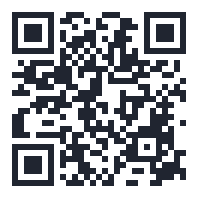
A provider makes a channel, prints or shares its QR code, and people subscribe from the app in one scan.
  • Broadcast a message to everyone in a channel, or to all your users
  • Link a reminder or a monitor to a channel — every subscriber gets it
  • See who said Yes, who said Not yet and who didn't answer, with name and email
  • Subscribers can leave a channel any time
Scan to create your account
Staff meeting, 10:00 AM
  • RURahim UddinYes
  • SASalma AkterNot yet
  • THTanvir HasanNo answer

How it works

  1. Create a reminder or monitor

    Say what, when, and how often to ask again.

  2. NotifyBD tells you

    On time, by app, SMS, WhatsApp or email.

  3. You answer

    Tap Yes and it stops. Tap Snooze or Not yet and it comes back.

Android app

Get the NotifyBD app on your phone

Reminders that ring like an alarm, server-down alerts and your inbox — even when the phone is locked. The app isn't on Google Play yet, so download it here.

Download for AndroidAPK · version 2.2.19 · 2.5 MB · Android 7+
  1. Tap Download. When the phone asks, tap Download anyway.
  2. Open the file. If Android asks, allow installing apps from this source (your browser or Files).
  3. Tap Install, open NotifyBD and sign in with your account.

The app is signed by NotifyBD and updates the same way: download the newest version here and install it over the old one — your sign-in stays.

Android blocked the install? Here's what to tap
“Not allowed to install unknown apps from this source”
Tap Settings, turn on “Allow from this source” for Chrome (or Files), go back and tap Install.
Chrome: “This type of file can harm your device”
Tap Download anyway.
Play Protect: “Unsafe app blocked” or “Scan app”
It says this because the app isn't on Google Play yet. Tap More details → Install anyway (or Scan, then Install).
Android 7
Settings → Security → turn on Unknown sources, then open the file again.

After installing, allow these so reminders arrive on time

  • Notifications — required; without it nothing can be shown.
  • Battery: Unrestricted / Don't optimise — so the phone doesn't stop NotifyBD in the background.
  • Full-screen alerts — Android 14+, for App alarm reminders that ring over the lock screen.

Realme, Oppo, Xiaomi, Vivo: also turn on Auto-launch (Auto-start) for NotifyBD and allow background activity in its battery settings.

NotifyBD never asks for your contacts, SMS, location, files, microphone or camera.

QR code for downloading the NotifyBD Android app
On a computer? Scan with your phone's camera
notify.bd/apk

Run it as your own service

Providers sell NotifyBD to their customers and keep control.

  • Create users, choose what they can use and top up their balance
  • Plans and prices in taka, with a clear wallet for every account
  • A delivery log for every SMS, WhatsApp, email and app notification
  • Failed SMS and WhatsApp messages are refunded automatically

Made for Bangladesh

বাংলা and English

The app, notifications, SMS and emails follow each person's language.

Your time zone

Every reminder fires at your local time, wherever you are.

Prices in taka

Top up by bKash, Nagad or bank. Pay only for SMS and WhatsApp you send.

Simple plans in taka

Start free. Upgrade when you need SMS, WhatsApp or more reminders and monitors — pay from your NotifyBD balance with bKash, Nagad or bank.

Loading plans…

Prices in taka (৳). SMS and WhatsApp are charged per message from your balance; app and email notifications are free.

Stop forgetting the things that matter.

Create an account in a minute. App and email alerts cost nothing.